
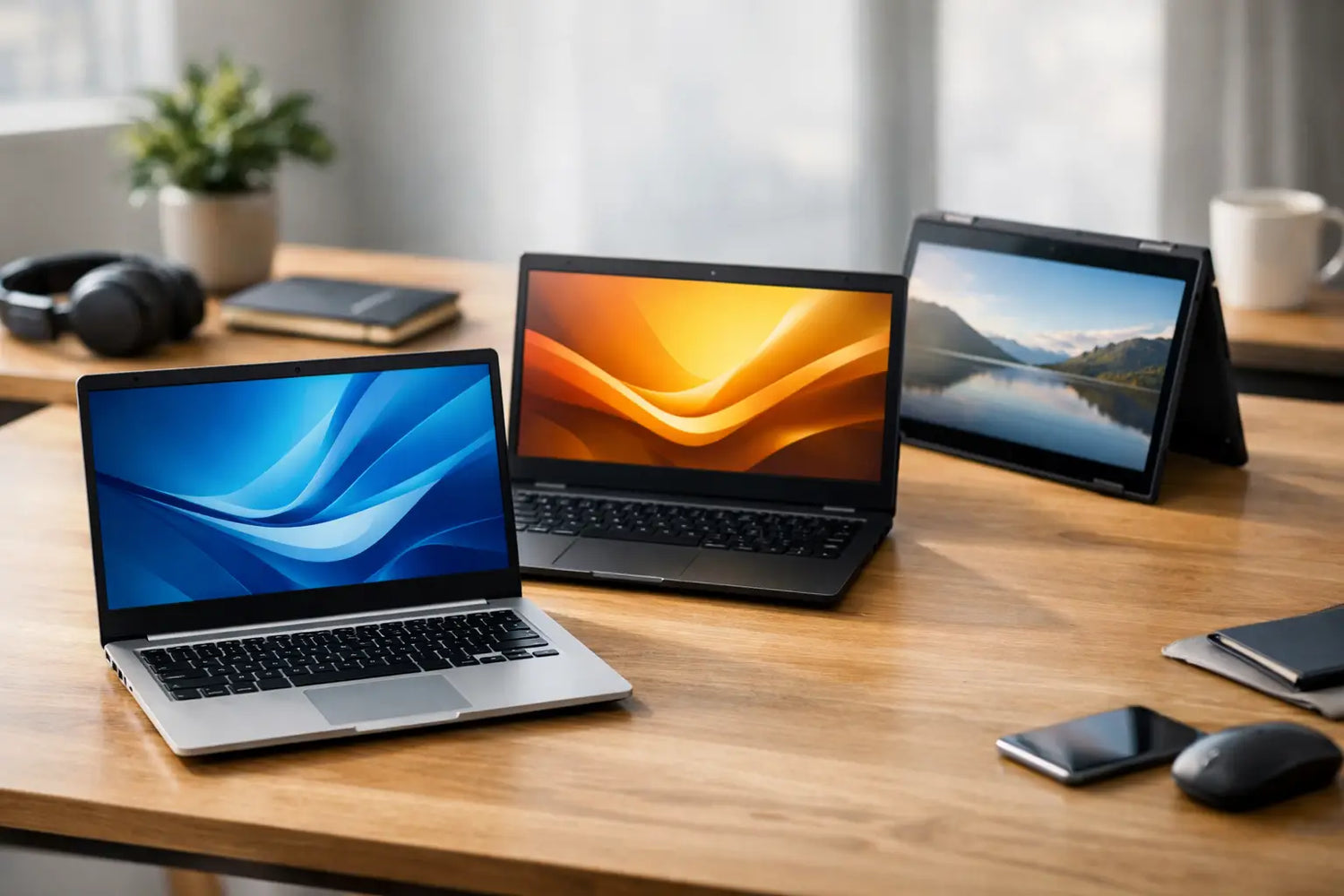
A cheap laptop stops being a bargain the second it starts freezing during a Zoom call or takes five full business days to open three browser tabs. That is why the search for the best budget laptops under $500: high performance, low cost is really about value, not just price. You want something that feels fast enough for real life, looks modern enough to enjoy using, and lasts long enough that you do not regret saving money.
The good news is that sub-$500 laptops are better than they used to be. A lot better. You can now find machines that handle schoolwork, streaming, remote work, light creative tasks, and everyday browsing without acting like they are powered by pure hope. The catch is that not every budget laptop is a smart buy, and the specs that matter most are not always the flashy ones in the product title.
What makes the best budget laptops under $500 worth buying
At this price, every laptop is making compromises somewhere. The trick is finding the compromise you can live with. A budget laptop can still feel quick and useful if it gets the basics right.
Start with the processor. For most people, an Intel Core i3, Intel Core i5, AMD Ryzen 3, or AMD Ryzen 5 is the sweet spot. These chips are usually strong enough for multitasking, web apps, video calls, and office work. Intel Celeron and entry-level Pentium processors can look tempting because they lower the price, but they often feel slow fast. If your laptop is only for very light browsing or occasional streaming, they may be fine. For anything more, skip them.
Memory matters just as much. Eight gigabytes of RAM should be the target, not the upgrade dream. Four gigabytes can still show up in ultra-cheap models, but that setup struggles when you have multiple tabs open, music playing, and a document running at the same time. Which, let us be honest, is a normal Tuesday.
Storage is another place where budget laptops either shine or disappoint. SSD storage makes a huge difference in speed. A 128GB SSD is workable for light users, but 256GB is a safer choice if you save files, install apps, or keep photos and videos locally. A laptop with a traditional hard drive might offer more space, but it will usually feel much slower in everyday use.
Screen quality is where many under-$500 laptops cut corners. If possible, go for a Full HD display, which means 1920 x 1080 resolution. HD screens are still common in this range, especially on lower-end 15.6-inch models, and they can look soft and cramped. If you spend hours staring at your laptop, this is not the place to settle too hard.
The specs that actually matter for high performance at low cost
You do not need gaming-laptop power to get a smooth experience. You need the right balance.
For students, remote workers, and everyday users, the best budget laptops under $500 usually have four things in common: a modern mid-entry processor, 8GB of RAM, SSD storage, and decent battery life. That setup is strong enough for web-based work, Google Docs, Microsoft Office, streaming, and casual entertainment.
Battery life should be judged with a little skepticism. Brands love quoting best-case numbers that assume the screen is dim, Wi-Fi is barely active, and you are apparently doing nothing fun. In real use, expect around 6 to 9 hours from a good budget laptop. If you need all-day portability, battery performance deserves more weight than an extra 100GB of storage.
Build quality also deserves a quick reality check. Under $500, you are usually getting plastic construction, and that is fine. Plastic does not automatically mean bad. What matters is whether the keyboard feels stable, the hinge is solid, and the trackpad is not annoyingly loose or jumpy. A sturdy, basic laptop beats a flashy one that feels like it might fold from eye contact.
Best budget laptops under $500 for different buyers
There is no single winner for everyone because the best laptop depends on how you use it.
If you are shopping for school, look for a lightweight 14-inch or 15.6-inch laptop with 8GB RAM and a comfortable keyboard. Students usually need a machine that can handle documents, browser tabs, video classes, and maybe some streaming after hours. A Chromebook can work well if everything you do lives in the browser, but a Windows laptop gives you more flexibility for software and file management.
If you work from home, prioritize performance consistency. A Ryzen 5 or Core i5 laptop with 8GB RAM and an SSD will feel more reliable during meetings, spreadsheets, and multitasking. Webcam quality may not be amazing at this price, but a laptop that stays cool and responsive during long sessions is worth more than one with a slightly nicer finish.
If your main goals are entertainment and casual use, display and speakers become more important. A Full HD screen is a big upgrade for movies, YouTube, and browsing. You probably do not need a powerhouse processor, but you do want enough speed that apps open quickly and streaming stays smooth.
If you want a laptop for light gaming, expectations need to stay reasonable. Under $500 is not the magic land of maxed-out frame rates. Integrated graphics can handle lighter games, older titles, indie games, cloud gaming, and some esports titles at lower settings, but demanding modern games will push these systems hard. If gaming is the priority, focus on AMD Ryzen models with stronger integrated graphics.
Windows laptop or Chromebook under $500?
This one depends on your habits.
A Chromebook is a strong budget pick if you mostly use Chrome, Google Workspace, streaming apps, and web-based tools. They often boot fast, feel simple to use, and give good battery life for the money. They are especially good for students, casual users, and anyone tired of overcomplicating basic tasks.
A Windows laptop makes more sense if you need broader app support, local file control, or software that is not browser-based. It is the safer all-around choice if you are not fully sure what you will need six months from now.
The trade-off is that cheap Windows laptops vary more in quality. A good one feels versatile. A bad one feels like a patience test. Chromebooks are more limited, but the experience is often smoother at lower price points.
Red flags to avoid when shopping cheap
A low price can look great until you read the fine print. If a laptop has only 4GB of RAM, 64GB of storage, and a basic processor, it may struggle almost immediately. That kind of model is best only for the lightest possible use.
Be careful with older hardware sold as a huge deal. Some discounts are real. Some are just a dramatic way of saying a laptop was outdated before it hit the sale page. A last-generation processor can still be excellent, but very old chips and low-resolution displays usually mean you are buying frustration at a markdown.
Also pay attention to ports. If you use USB accessories, external monitors, SD cards, or wired headphones, make sure the laptop supports your setup. Thin and cheap can be nice. Thin, cheap, and missing every port you need is less charming.
How to get the most value under $500
Timing helps. Laptop prices move around constantly, especially during seasonal sales, back-to-school periods, and holiday promotions. A machine that feels slightly out of reach one week can drop into budget territory the next.
Refurbished and open-box laptops are also worth considering if they come from a reliable seller with a clear return policy. This is one of the few ways to get a better processor or more premium build without stretching past your budget. If the warranty is decent and the condition is well described, it can be a smart play.
It also helps to shop with your real priorities in mind instead of chasing every feature. If you mostly write, stream, browse, and join video calls, you do not need a laptop pretending to be a mobile workstation. You need something quick, reliable, and comfortable to use every day. That is where the best value lives.
For shoppers who love finding affordable upgrades that feel bigger than their price tag, that is the whole appeal. The best budget laptops under $500 are not trying to be luxury machines. They are trying to give you more speed, more usefulness, and fewer headaches for less money. And when you choose carefully, that is exactly what they do.
A good budget laptop should make daily life easier the second you open it, not give you a new problem to troubleshoot before lunch.




Commenta
Questo sito è protetto da hCaptcha e applica le Norme sulla privacy e i Termini di servizio di hCaptcha.