
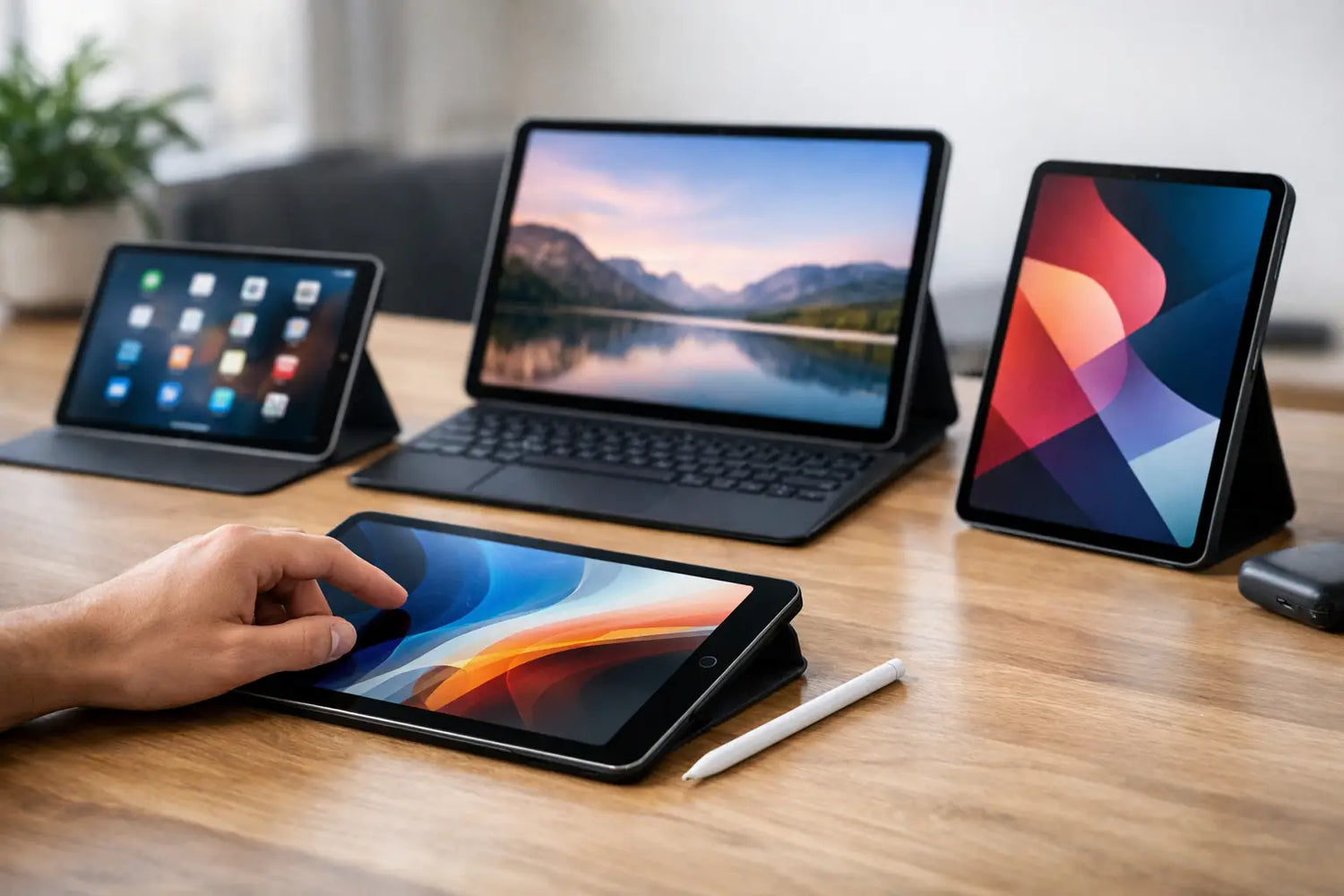
One tablet can become your travel screen, reading device, sketchpad, couch companion, and backup laptop. Another can end up as an overpriced streaming slab that spends most of its life at 12% battery in a drawer. That is exactly why this tablet buying guide: everything you need to know before you buy starts with one question - what do you actually want this thing to do?
Tablets are easy to shop for badly because the specs can look impressive while the real experience feels average. A huge display sounds great until it is too bulky to hold. A cheap price looks tempting until the storage fills up in a week. The sweet spot depends on your habits, not just the sales tag.
Tablet buying guide: everything you need to know before you buy
If you are buying a tablet for streaming, light gaming, browsing, and social apps, your priorities should look very different from someone who wants digital art tools, work apps, or a device for school. That sounds obvious, but plenty of shoppers still pay for power they never use or go too cheap and regret it fast.
Start by thinking in scenarios. Are you watching movies in bed, taking notes in class, using it in the kitchen for recipes, keeping kids entertained on flights, or pairing it with a keyboard for work? The clearer the use case, the easier every other choice becomes.
Pick the right screen size for your real life
Screen size is where most people either get it very right or very wrong. Smaller tablets, usually around 8 inches, are easy to hold one-handed, easy to pack, and great for reading, browsing, and casual use. If you want something light and grab-and-go, this size can feel surprisingly perfect.
Mid-size and larger tablets, usually around 10 to 13 inches, are better for movies, split-screen multitasking, drawing, and productivity. They feel more immersive, but they are also heavier and less casual. If you plan to hold the tablet for long stretches, weight matters just as much as display size.
Resolution matters too, but not in a braggy-spec way. A sharper display makes text easier on the eyes and video look better, especially if you stream a lot or read for long sessions. If you mostly use basic apps, you do not need the absolute highest-end panel. But if you notice fuzzy text immediately, it is worth paying attention here.
LCD or OLED?
LCD screens are common and usually cost less. They are perfectly fine for everyday use. OLED displays offer deeper blacks, stronger contrast, and a more premium movie-watching experience, especially in darker rooms. The trade-off is price. If your tablet is mainly for entertainment, OLED can feel like a real upgrade. If it is mostly for email, shopping, and light use, LCD is usually enough.
Performance: buy for smooth use, not spec flex
A tablet does not need laptop-level power for every job. What it does need is enough performance to stay smooth for the things you do most. If your routine is web browsing, Netflix, YouTube, ebooks, and basic apps, a midrange processor is usually the smart buy.
If you are editing photos, playing demanding games, running multiple apps at once, or using creative software, performance matters much more. This is where a faster processor and more RAM stop being nice extras and start feeling necessary.
RAM is one of those specs people ignore until the tablet starts stuttering. For lighter use, 4GB can get the job done, though it may feel tight sooner over time. For better longevity and smoother multitasking, 6GB to 8GB is a safer zone. More than that only makes sense if you are buying a premium tablet for heavier workloads.
Do not get hypnotized by the highest numbers if your use is basic. A fast tablet is fun. Paying extra for power you will never touch is less fun.
Storage fills up faster than you think
Apps, downloaded shows, games, photos, and software updates can chew through storage fast. If you are choosing between a lower-storage model and one step up, the upgrade is often worth it, especially if the tablet does not support expandable storage.
For light use, 64GB may work. For a more comfortable experience, 128GB is often the better everyday choice. If you plan to download a lot of media, keep games installed, or use the tablet for school or work files, you may want more.
MicroSD card support can help, but it is not a magic fix for everything. Some apps and features work best on internal storage, and not every tablet includes expandable memory. Check before you buy, not after your first storage warning ruins the vibe.
Battery life is more than a numbers game
Battery claims always sound amazing. Real battery life depends on screen brightness, app usage, video streaming, gaming, and whether you keep multiple apps running. A tablet that lasts all day for reading may drain much faster during gaming or video calls.
If portability matters, look for a model known for dependable all-day use, not just a big battery on paper. Charging speed matters too. A tablet that charges slowly can become annoying fast if you use it heavily.
This is one of those areas where reviews and real-world impressions matter more than marketing promises. A tablet should fit your day without constantly hunting for a charger like it is a side quest.
Operating system: choose the ecosystem you actually like
The operating system shapes the whole experience. It affects app quality, file management, accessories, updates, and how well the tablet works with your phone, laptop, earbuds, or smartwatch.
If you already use a certain smartphone or laptop ecosystem, staying in that lane can make life easier. Shared apps, synced messages, file transfer, and connected accessories often work better when your devices play nicely together.
That said, this is not about blind loyalty. Some operating systems are stronger for creative work, some are better for media and casual use, and some offer more flexibility for file handling or customization. Think about what annoys you most on your current devices and what would make your routine easier.
App quality and update support
A tablet can have good hardware and still feel dated if app support is weak or software updates dry up early. This matters more than shoppers expect. If you want your tablet to stay useful for years, check how long the brand typically supports its devices.
A bargain tablet can feel like a win at checkout and a loss six months later if the software experience is rough. Cheap is only a deal when it stays enjoyable to use.
Accessories can change the value completely
Some tablets are best as simple entertainment devices. Others become much more useful when you add the right accessories. A stylus can turn a tablet into a note-taking or drawing tool. A keyboard case can make it useful for email, schoolwork, and lighter productivity. A stand matters more than people think if you watch a lot of content or use the tablet while cooking or working out.
But accessories can also quietly wreck your budget. A tablet that looks affordable at first can become expensive once you add the keyboard, pen, case, and charger you actually need. Always think in total cost, not just sticker price.
If your tablet is replacing part of your laptop use, accessories matter a lot. If it is mostly for relaxing, reading, and streaming, you may not need anything beyond a good case.
Cameras, speakers, and extras that are either useful or filler
Tablet cameras usually matter less than phone cameras, but front-facing camera quality can be important if you take video calls for school, work, or family chats. Speaker quality matters more than many buyers expect, especially if you watch shows, play games, or listen to music without headphones.
Build quality is also worth noticing. Metal bodies feel more premium and often more durable. Budget materials are not automatically bad, but if the tablet feels flimsy in your hands, you will notice it every day.
Then there is connectivity. Wi-Fi-only tablets cost less and are perfect for home use, travel with hotspot access, or anyone rarely away from internet. Cellular models are great for people who need internet on the go, but they cost more upfront and may add monthly expense. It depends on how mobile you really are.
How to avoid overbuying or underbuying
The best tablet is not the most expensive one. It is the one that fits your habits without making you pay for features you will never use. If your main goals are streaming, browsing, and casual gaming, focus on display quality, battery life, storage, and overall smoothness. If your tablet needs to handle work, study, art, or serious multitasking, prioritize performance, accessory support, and software quality.
This is where a value-focused store like Timo Market can make browsing feel less overwhelming. The trick is still the same, though - compare features based on your real use, not just the biggest discount badge.
Before you buy, picture a normal week with the tablet. Where will you use it, what apps will you open most, how often will you carry it, and what would annoy you fastest? A tablet should feel like an upgrade you reach for constantly, not a gadget that looked exciting for five minutes. Buy the one that fits your life, and you will feel the difference every single day.




Commenta
Questo sito è protetto da hCaptcha e applica le Norme sulla privacy e i Termini di servizio di hCaptcha.