
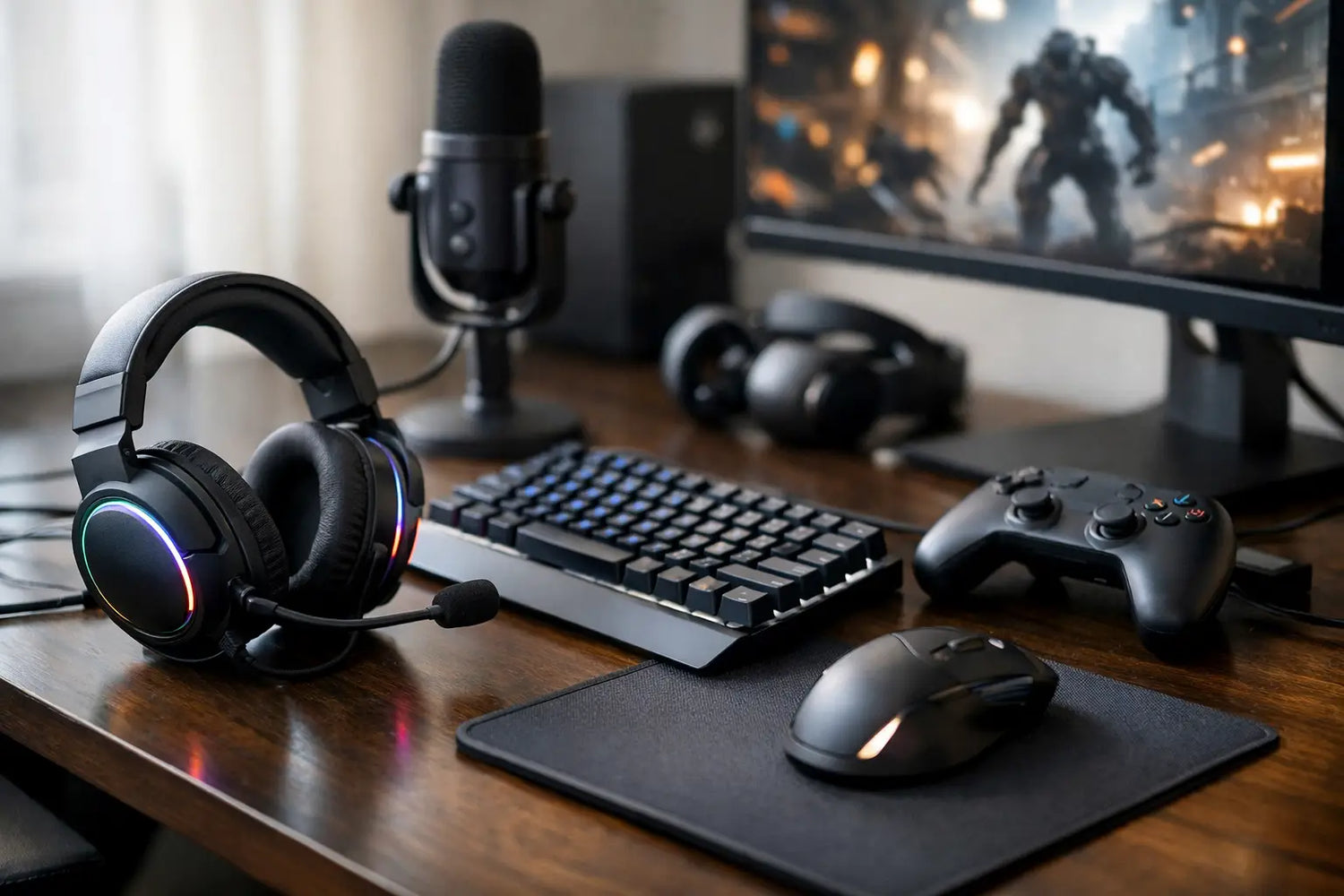
One bad headset, a slippery mouse pad, and a controller that dies mid-match can turn a great night of gaming into a full-on rage quit. That is why gaming accessories are not just extra gear for your desk or shelf. The right add-ons change how your setup feels, how long you can play comfortably, and how much fun you get out of every session.
Some upgrades are obvious. Better audio helps you catch footsteps sooner. A solid controller grip can save your hands during long sessions. Good lighting makes your setup feel cleaner and more immersive. But not every accessory deserves a spot in your cart, and not every popular product is a real improvement. The smart move is picking gaming gear that solves a problem you actually have.
Which gaming accessories make the biggest difference?
If your setup feels messy, uncomfortable, or slightly annoying every time you play, start with the basics. The best gaming accessories usually improve one of three things: control, comfort, or atmosphere. Everything else is a bonus.
For control, think controllers, thumb grips, trigger attachments, precision mouse pads, and charging docks that keep your gear ready instead of buried under cables. These are the pieces that remove friction. You spend less time adjusting and more time actually playing.
For comfort, the wins are just as real. Headsets with soft ear cushions, wrist support, ergonomic controller designs, and even the right chair add up fast during longer sessions. A setup that looks cool but leaves your neck cooked after an hour is not a good setup.
Atmosphere matters too, even if people pretend it does not. Ambient lighting, desk lights, monitor backlighting, and room accessories help create a gaming space you actually want to sit in. That is not fluff. When your setup feels good, you use it more.
Gaming accessories for better performance
There is a reason competitive players get picky about small details. Tiny improvements in responsiveness and consistency can stack up fast. That does not mean you need an elite-level tournament setup. It just means the little things count more than people think.
Controllers and grips
A standard controller is fine until your hands start slipping in the middle of a sweaty match. Grip sleeves, textured thumb caps, and trigger extenders can make movement feel more controlled without forcing you to relearn anything. They are affordable, easy upgrades, and they tend to matter most for people who play shooters, sports games, fighters, or anything fast.
The trade-off is simple. Some add-ons feel amazing, while others make buttons feel bulky or awkward. If you already love the shape of your controller, go light on modifications. If your hands get tired or you constantly adjust your grip, these upgrades are worth a look.
Headsets and audio gear
Good audio changes the whole experience. In multiplayer games, it can help you react faster. In story-driven games, it makes everything feel richer and more cinematic. A weak headset can flatten both.
The trick is choosing based on how you play. If you game late at night, comfort and clear directional sound matter more than giant bass. If you chat with friends constantly, microphone quality moves up the list. If you mostly play solo, you may care more about immersion than team communication.
Wired versus wireless is where it depends. Wired options are usually simpler and more reliable. Wireless feels cleaner and more flexible, especially if you hate cable clutter. The downside is charging. No one feels powerful when their headset dies during the final round.
Mouse pads and precision add-ons
PC players know this already, but console gamers sometimes overlook it when they branch into cross-platform setups. A quality mouse pad is not just a desk decoration. It affects glide, consistency, and comfort. If your mouse feels scratchy or uneven, the problem may not be the mouse.
Bigger pads are especially useful if your desk doubles as a work space, because they help organize the whole area while giving you more movement room. Smaller pads save space, but they can feel limiting if you play lower sensitivity settings.
Gaming accessories that improve comfort
A setup can perform well and still be annoying to use. That is where comfort-focused accessories earn their keep. These are not always the flashy purchases, but they can become the gear you appreciate most after a week of regular use.
Charging docks and cable management
This category is not glamorous, but it is undefeated when it comes to reducing setup chaos. Charging docks keep controllers in one place, make your space look cleaner, and remove the classic problem of dead batteries right when you want to play.
Cable organizers, clips, and desk management tools do something similar. They make your setup feel intentional instead of accidental. If your gaming station currently looks like a snake pit behind the monitor, start here.
Wrist support and seating add-ons
Long gaming sessions can sneak up on your body. Wrist pads, seat cushions, lumbar support, and footrests are the kinds of accessories people ignore until they try them. Then suddenly going back feels terrible.
Not everyone needs the same support. If you play casually for short bursts, you may not notice much. If you work at the same desk and game there too, comfort upgrades make a lot more sense. Your setup is not just for one match. It is part of your daily routine.
Gaming accessories that make your setup look better
Yes, performance matters. So does style. A great setup is part function, part vibe, and the visual side is half the fun.
Lighting and room atmosphere
LED lighting, monitor backlights, and ambient lamps can completely change the mood of a gaming space. They add color, depth, and a cleaner visual identity, especially if your setup also shows off collectibles, retro consoles, or anime-inspired gear.
The key is restraint. A little lighting can make your space feel sharp. Too much can make it look like your desk lost a fight with a nightclub. Go for colors and brightness levels that match how you actually play. If you want focus, softer tones usually work better. If you want energy, brighter colors can bring it.
Display and desk extras
Headphone stands, controller displays, and compact storage accessories do more than save space. They help your gear feel like part of a setup instead of random stuff piled on a surface. This is especially useful if you live in a smaller apartment, share a room, or want your gaming corner to stay clean between sessions.
A polished setup is also easier to maintain. When everything has a place, cleanup takes minutes instead of becoming a whole weekend project.
How to choose gaming accessories without wasting money
It is easy to get carried away. One minute you are shopping for a controller dock, and the next minute you are looking at lights, grips, headset stands, desk mats, and enough extras to build a second setup for your cat.
The easiest way to shop smarter is to ask one question first: what annoys you most right now? If your controller keeps dying, start with charging. If your audio is weak, start with a headset. If your room feels boring, lighting may give you the biggest satisfaction for the price.
Compatibility matters too. Not every accessory works with every console, controller type, or desk setup. Measurements matter more than most people expect, especially for mats, stands, and seating support. Reading the details saves you from the kind of purchase that looks amazing online and weirdly tiny in real life.
Price also does not always equal value. Some budget-friendly gaming accessories genuinely improve your setup. Others are cheap in the bad way and stop working fast. The sweet spot is usually gear that solves a clear problem, feels good to use, and fits your actual routine.
The best gaming accessories are the ones you notice every day
The best upgrades are not always the loudest ones. They are the accessories that quietly remove little annoyances every time you sit down to play. A better grip. Cleaner sound. Easier charging. Lighting that makes your space feel like yours.
That is the fun of building a setup. You do not need to change everything at once. Start with one smart upgrade, enjoy the difference, and build from there. If you pick gaming accessories based on how you really play, your setup stops feeling random and starts feeling ready.




Leave a comment
This site is protected by hCaptcha and the hCaptcha Privacy Policy and Terms of Service apply.