
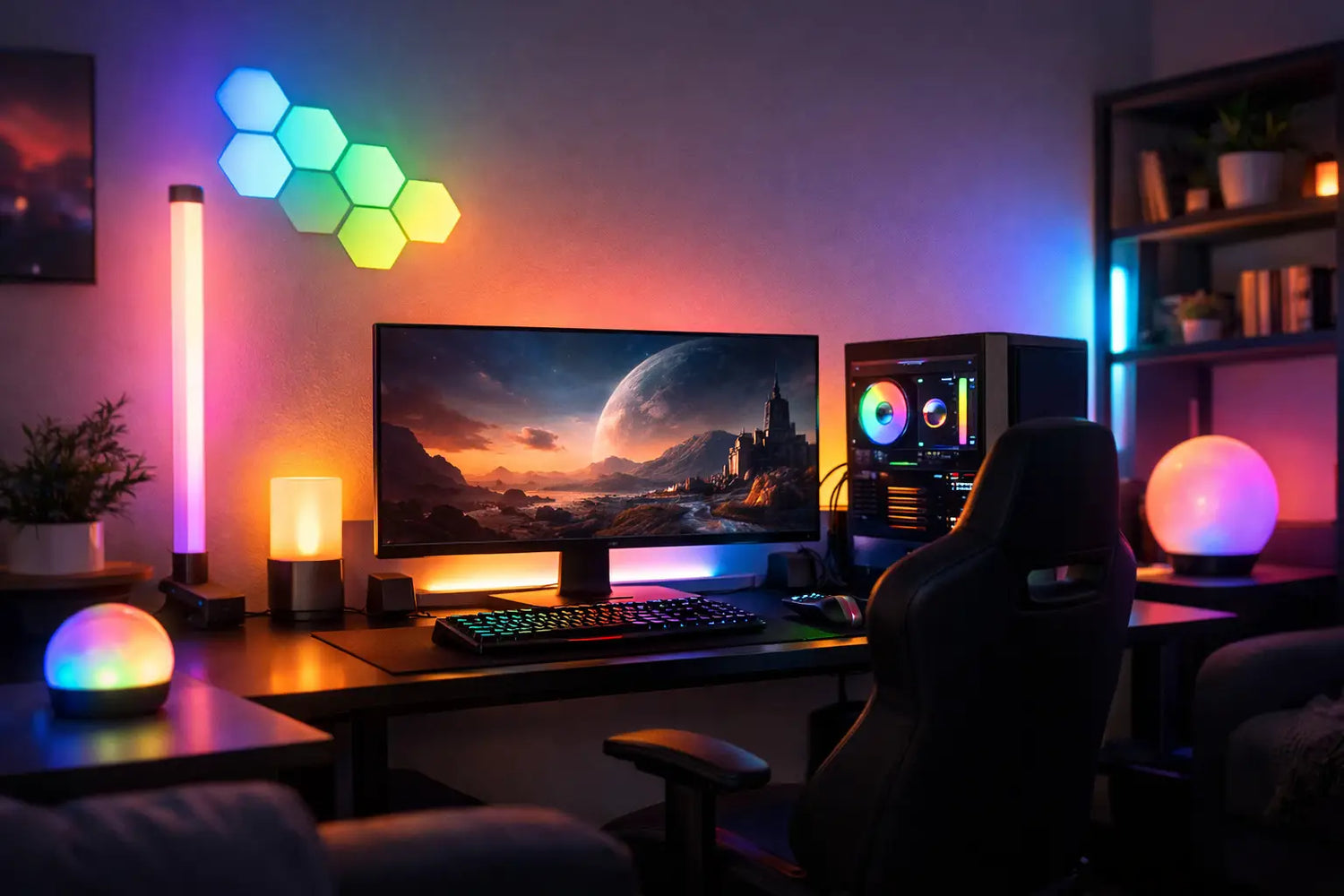
A monitor can be fast, a controller can be elite, and your game library can be stacked - but a plain, harshly lit room still feels like a loading screen. The best ambient lights for a gaming room add color, depth, and personality without blasting your eyes at 1 a.m. More than decoration, the right lighting can make your setup feel like a place you actually want to spend time in.
The trick is not buying every glowing gadget you see. It is choosing lights that work with your desk, screen size, wall color, and the kind of games you play. A cozy RPG cave calls for something different than a competitive setup where you need to see your keyboard, snacks, and the occasional rage-quit controller toss.
Start With the Mood You Want
Before picking colors, decide what your room needs to feel like. Ambient lighting is the background layer. It fills the space gently instead of putting a bright beam directly in your face. Think of it as the difference between a gaming arena and a fluorescent office break room. One says, “one more match.” The other says, “please submit your timesheet.”
For a relaxed, cinematic setup, warm amber, soft purple, and deep blue are easy wins. These colors work especially well behind a TV, around a media console, or in a corner where you want a little glow without visual clutter. If your setup leans futuristic, cool blue, neon pink, and cyan create that high-energy look many players love.
Color is personal, but brightness is practical. The brightest possible setting is rarely the best setting. Strong LEDs aimed at your face can cause glare, distract from the screen, and make a small room feel more chaotic. Look for dimmable lights with enough range to go from subtle background glow to full party mode when friends come over.
The Best Ambient Lights for a Gaming Room
There is no single light that wins every setup. The best choice depends on whether you want screen comfort, a dramatic wall display, flexible color control, or a low-cost upgrade that takes five minutes to install.
LED light strips for easy color around the room
LED strips are a favorite for a reason: they can go almost anywhere. Run them behind a desk, under a floating shelf, along the edge of a TV stand, or around the perimeter of the ceiling. They are a great first upgrade when your room needs more personality but your budget would rather not fight a boss battle.
For the cleanest effect, hide the strip itself and let the reflected light do the work. Place it behind the rear edge of your desk, facing the wall, instead of sticking it where every individual LED is visible. A diffuser channel can make the glow look smoother, though it is not essential for every setup.
Measure before ordering. An LED strip that is too short creates awkward gaps, while an extra-long roll can leave you trying to solve cable management with hope and scissors. Also check where the power source will sit. A beautiful setup loses points fast when a loose cable hangs across your desk like a tiny fluorescent vine.
Monitor backlights for less harsh screen contrast
A monitor backlight, often called bias lighting, sits behind the screen and shines onto the wall. This is one of the most useful ambient upgrades because it can make a bright display feel less intense in a dark room. Your eyes are not constantly jumping between a glowing screen and a black void behind it.
For work and gaming in the same space, choose an adjustable white light or an RGB option that can switch to a neutral tone. For pure gaming style, color-changing backlights bring plenty of atmosphere without taking up desk space. Some models can react to what is happening on screen, which looks especially fun during racing games, colorful platformers, and action-heavy sessions.
Screen-sync lighting has a trade-off: it can be amazing for immersion, but the constant color shifts may be distracting during competitive games. If you play ranked matches where focus matters most, a steady low-brightness color is often the smarter play.
RGB light bars for a clean desktop look
Light bars are compact lamps designed to stand beside or behind your monitor. They create a strong wash of color on the wall while keeping the desk surface relatively open. They are ideal for players who want a polished look but do not want adhesive strips running around the entire room.
Position two bars behind the monitor for a balanced, symmetrical glow. If your desk sits in a corner, one bar may be enough to illuminate both walls and create more depth. Many people place them facing the wall rather than the room, which keeps the color rich without turning the lights into the center of attention.
RGB light bars are also easy to move when you rearrange your setup. That flexibility matters if you are still figuring out where your PC, console dock, speakers, and collectible shelf should live.
Floor lamps for bigger-room atmosphere
A slim corner floor lamp can change the entire feel of a gaming room, especially if you have open wall space that desk lights cannot reach. Instead of lighting only the command center, it makes the whole room feel intentional. This is a smart option for shared living spaces, bedrooms, or game rooms with a couch and TV area.
Look for a lamp that can display multiple colors or gradients and offers remote or app control. A single-color lamp can still look great, but flexible controls make it easier to match your lighting to a game, season, or mood. Deep red for horror night? Absolutely. Soft orange for a cozy retro session? Also excellent.
Floor lamps can be brighter than needed in smaller rooms, so use them as reflected light. Point the lamp toward a corner or wall, then reduce the brightness until it adds atmosphere without overpowering your display.
Wall panels for statement setups
Modular light panels are for gamers who want the wall itself to become part of the setup. Arrange geometric panels above your desk, behind a couch, or around a framed poster to create a custom feature that looks good on camera and even better in person.
They cost more than basic strips, and they need thoughtful placement to avoid looking random. Start with one focused shape rather than covering every empty inch of wall. A clean arrangement behind the monitor can frame the setup beautifully, while a few panels scattered across a large room can look more like an unfinished side quest.
Wall panels are especially effective for streamers, content creators, and anyone who wants a recognizable background. If you use a webcam, test the lighting before committing to super-bright colors. Intense blue and purple can affect how skin tones look on camera.
Match Your Lights to Your Setup Size
Small gaming spaces benefit from restraint. A monitor backlight plus one LED strip under the desk is usually enough to create a big change. Adding strips to every surface can make a compact bedroom feel crowded, even when the colors are cool.
Medium setups have room for layers. Use backlighting behind the monitor, a strip behind the desk or shelves, and one floor lamp to pull the rest of the room together. Keep the colors related. You do not need every device on the rainbow cycle at once unless your goal is “arcade machine gained sentience.”
For larger rooms, build zones. Your desk area might use cool tones for focus, while the couch or console area gets a warmer, softer glow. This makes the room feel more organized and gives each part of the space its own purpose.
Features Worth Paying Attention To
When comparing ambient lights, control options matter almost as much as color. App control is convenient when you want to change scenes from your chair, while a physical remote is useful when you do not want another app on your phone. Voice control can be fun, but it is not a must-have if you prefer simple controls that work every time.
Also check brightness adjustment, timers, memory settings, and music-reactive modes. Timers are underrated for late-night players because they can shut lights off after you fall asleep watching game clips. Memory settings save you from rebuilding your favorite color scene every time the power is interrupted.
Pay attention to the power method, too. USB-powered lights are convenient around monitors and consoles, while plug-in lights generally offer more brightness for larger spaces. If you are using multiple products, plan outlets and cable routes before installation. A power strip tucked behind a desk can keep the final look clean and make it easier to turn everything off at once.
Make the Glow Look Intentional
The best ambient lights gaming room setups are not defined by how many products they have. They work because the light has a job. One source reduces screen contrast, another adds depth behind the desk, and a third gives the room a color accent. Layered lighting feels premium when each layer has a purpose.
Start with one upgrade that solves your biggest issue. If your screen feels harsh at night, add monitor backlighting. If the room feels plain in photos or during game nights, try a floor lamp or wall panels. If your desk needs a fast makeover, go for a hidden LED strip. Timo Market is all about finding those small, exciting upgrades that make your everyday space feel less ordinary.
Set your favorite scene, lower the brightness one more notch than you think you need, and give yourself a few nights to live with it. The right glow should make the room feel better the moment you press start - not compete with the game for your attention.



Leave a comment
This site is protected by hCaptcha and the hCaptcha Privacy Policy and Terms of Service apply.