
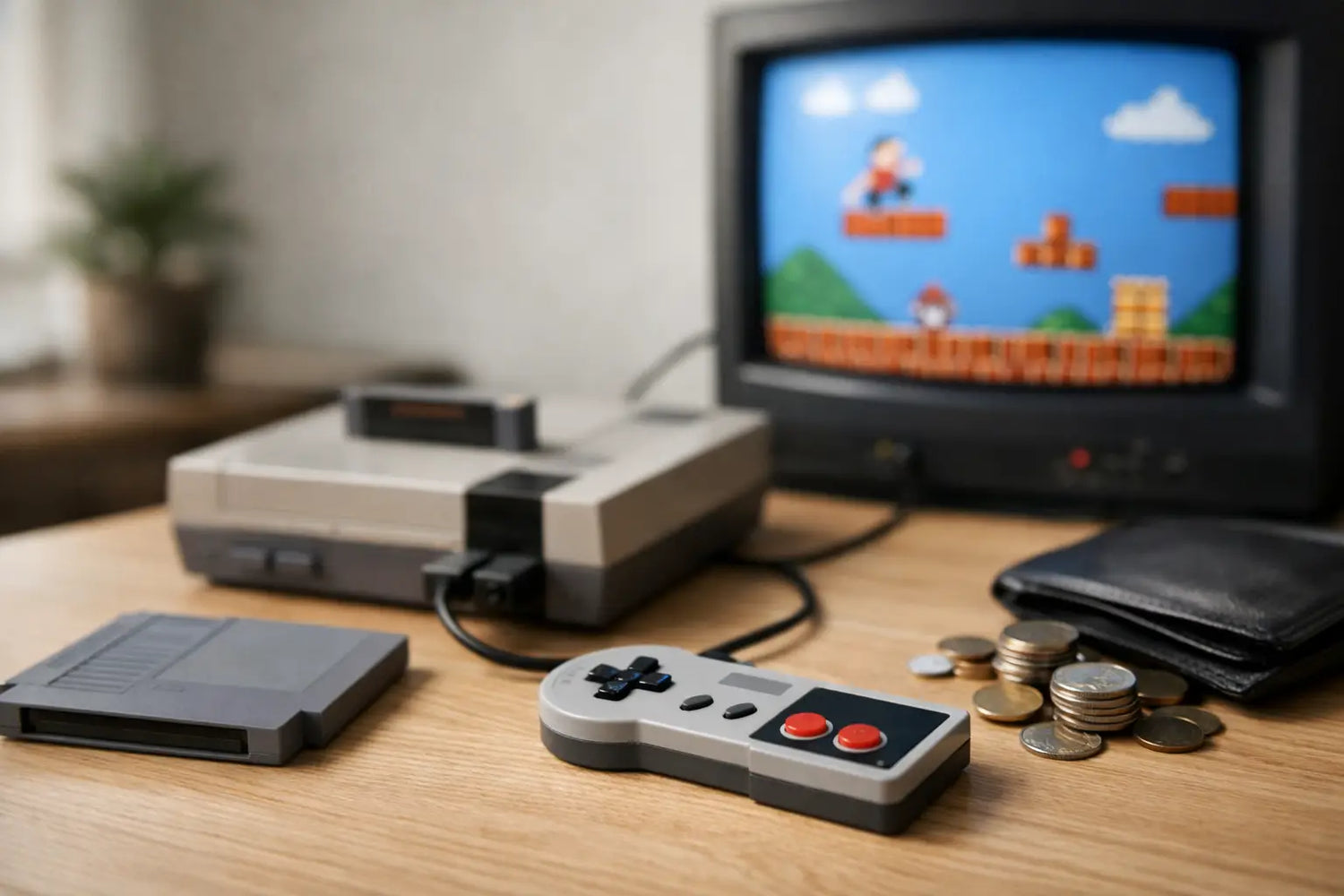
That first level theme, the chunky controller, the game-over screen you saw way too often as a kid - retro gaming has a way of making a random Tuesday night feel more fun. But figuring out how to start retro gaming can get confusing fast when you see collector prices, mystery mini consoles, used hardware, adapters, and enough game libraries to fill a basement. Good news: you do not need a rare cartridge shelf or a museum-grade setup to press start.
The smartest beginner setup is the one you will actually use. Start with the games and era that make you excited, set a budget, and build from there. Nostalgia is supposed to be fun, not a financial boss battle.
Pick Your Retro Gaming Starting Point
“Retro gaming” covers a huge stretch of history. For one person, it means 8-bit platformers and arcade classics. For another, it means PlayStation 2 racing games, Game Boy Advance RPGs, or early 2000s couch multiplayer. Choosing an era first keeps your setup simple and stops impulse buys from taking over your cart.
Think about the kind of experience you want. If you want quick, pick-up-and-play sessions, early arcade games, 8-bit and 16-bit consoles are a great fit. Their games are easy to understand, colorful, and perfect for passing a controller around. If story-driven adventures are more your speed, later systems such as the original PlayStation, Nintendo 64, Dreamcast, or PlayStation 2 may feel more familiar.
You do not have to start with the exact console you owned. Maybe you missed the Super Nintendo era but love pixel-art games. Maybe you want the social chaos of four-player party games more than a personal nostalgia trip. Start with the feeling you are chasing, then choose the hardware that supports it.
Choose a Setup That Matches Your Budget
There are three common ways to get into retro gaming: original hardware, modern retro consoles, and emulation. Each can be a great choice. The right one depends on whether you care most about authenticity, convenience, or price.
Original consoles: the real-deal route
Playing on an original console with physical cartridges or discs gives you the classic ritual: insert the game, grab the controller, and hope the save file is still there. Collecting physical games can also be satisfying, especially if you enjoy box art, manuals, and hunting down childhood favorites.
The trade-off is maintenance and cost. Older consoles may need replacement cables, memory cards, batteries, cleaning, or repairs. Popular games can be surprisingly expensive, and prices vary wildly based on condition and demand. If you take this route, begin with a console that has a large, affordable game library instead of chasing the most collectible titles first.
Modern retro consoles: easy, compact, ready for game night
A modern retro gaming console is often the easiest entry point for casual players. These devices are designed for modern TVs, usually come with wireless controllers, and can pack a lot of old-school energy into a small setup. They are especially handy for apartments, dorm rooms, travel, and anyone who wants fewer cables under the TV stand.
Quality matters here. Look for clear information about supported systems, controller compatibility, save options, video output, and what is actually included. A low price is exciting, but a console that crashes halfway through game night is less of a bargain. Check ratings and product details before buying, just as you would with any gadget.
Emulation: flexible, but worth doing thoughtfully
Emulation uses software to run games from older systems on a computer, handheld device, or compatible gaming unit. It can be a flexible option for exploring different generations without filling a closet with hardware. Features such as save states, display filters, and controller customization can make older games more convenient, too.
There is one important line to understand: emulation software itself may be legal, but downloading copyrighted games you do not own can violate copyright law. The safest route is using games you own and creating your own backups where permitted, buying officially re-released collections, or choosing public-domain and homebrew games. Retro gaming is more enjoyable when you are not gambling on sketchy downloads and weird pop-ups.
Start With a Small Game List
A huge library sounds amazing until you spend 45 minutes scrolling and play nothing. Give yourself a starter list of five to 10 games. Pick a mix of short games, one deeper adventure, and at least one game that is fun with another person in the room.
For a first retro collection, prioritize games with a reputation for great controls and replay value, not just games with the highest resale price. A beloved platformer, puzzle game, fighting game, racer, or beat ’em up can deliver more fun per dollar than a “must-have” collectible that stays on a shelf.
Also, expect some older games to feel different. Checkpoints may be scarce, tutorials may barely exist, and difficulty can be downright rude. That is part of the charm for some players, but it is not a requirement to suffer for the aesthetic. Use save features when available, look up a manual if you are stuck, and switch games if one is not clicking. There are thousands of classics waiting.
Get the Display and Controllers Right
Your screen and controller have a bigger impact than many beginners expect. Older games were designed around the displays and inputs of their time, so a bad setup can make a great game feel frustrating.
A modern TV is the convenient choice, especially for a plug-and-play retro console. Look for a Game Mode setting to reduce input lag, which is the slight delay between pressing a button and seeing the action happen. That delay matters most in fast platformers, fighting games, and rhythm games. If your character keeps jumping a fraction too late, the TV may be the problem, not your reflexes.
A CRT television can deliver the classic look many enthusiasts love, with natural motion and the soft scanline glow older games were built around. But CRTs are bulky, increasingly hard to find in good condition, and not necessary for a great first setup. Do not let perfectionism keep you from playing.
Controllers deserve the same attention. Use a controller that feels comfortable and has responsive buttons. Wired controllers can be simple and reliable, while wireless options reduce clutter and make couch multiplayer easier. For certain systems, the original controller shape is part of the experience. For longer sessions, though, a modern controller with better ergonomics may win. Your hands get a vote.
Avoid the Expensive Beginner Mistakes
Retro gaming can become a collecting hobby, and collecting can get pricey fast. Keep the fun high and the regret low by avoiding a few common traps:
- Buying a large lot of untested games because it looks like a deal. A pile of scratched discs or dead cartridges is still a pile.
- Paying premium prices for the first copy you see. Compare condition, completeness, and whether you actually want to play it.
- Assuming every old console works perfectly. Budget for cables, chargers, memory cards, cleaning supplies, or a replacement controller.
- Buying based on hype alone. A game can be historically important and still not be your kind of fun.
Make It a Habit, Not a Display Piece
The best retro setup is not the one with the most expensive shelf. It is the one that gets used. Keep your console accessible, leave a controller charged or plugged in, and choose a few games you can launch without a complicated setup. Retro games shine when they are easy to share, whether that means a weekend challenge with friends or a quiet 20 minutes after work.
Try rotating your small game list every month. Finish one game, revisit an old favorite, and add one title from an era you never experienced. You will learn what you genuinely enjoy before spending more money on hardware or collecting.
Start small, pick the games that make you smile, and let your setup grow naturally. The real win is not owning every classic. It is finding that moment when the music starts, the controller is in your hands, and you remember why pressing start felt so good in the first place.


Commenta
Questo sito è protetto da hCaptcha e applica le Norme sulla privacy e i Termini di servizio di hCaptcha.