
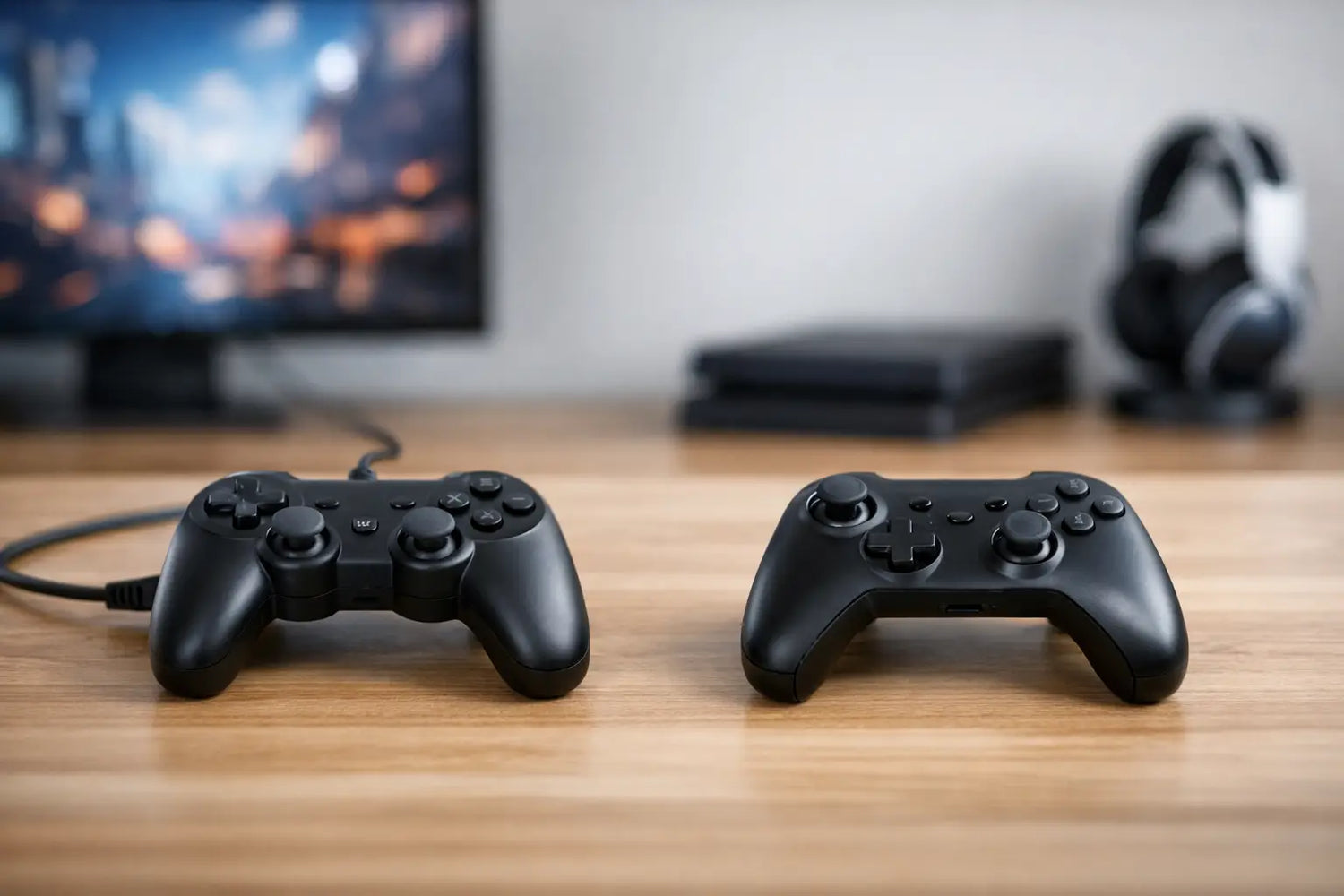
That last-second dodge, perfect drift, or clutch combo should not be ruined by a dead battery or a cable that barely reaches the couch. Choosing a wired or wireless controller comes down to more than looks. Your favorite games, screen setup, budget, and playing habits all matter.
The good news: both options can feel fantastic. The better news: once you know what actually changes between them, picking your next gamepad gets a whole lot easier.
Wired or Wireless Controller: Start With How You Play
A wired controller is built for plug-in-and-play simplicity. Connect it to your console, PC, tablet, or compatible device, and you are usually ready to press start. It draws power from the device, so there is no charging routine, no battery percentage anxiety, and no surprise shutdown during a long session.
A wireless controller gives you room to play your way. You can sit farther from the screen, relax on the sofa, or move around a gaming setup without a cable tugging at your hands. For multiplayer nights, a wireless setup can also keep the floor from turning into a cable obstacle course.
Neither choice automatically makes someone a more serious gamer. The right one is the controller you will enjoy picking up every time you play. A competitive fighting-game fan may prioritize a direct connection, while a casual racer with a big living-room TV may care much more about freedom and comfort.
Why a Wired Controller Still Wins Fans
The strongest reason to choose wired is consistency. A physical cable gives you a stable connection with no pairing process and no wireless interference to think about. Plug it in, confirm that the device recognizes it, and get into the match.
Wired controllers are often less expensive than comparable wireless models because they do not need a battery, charging hardware, or wireless radio. That can leave more room in the budget for a second controller, a headset, a retro console, or the game you have been watching from your wishlist.
They are also ideal for players who hate maintenance. There is nothing to charge before a weekend session and no rechargeable battery that gradually holds less power over time. If you play at a desk, close to a monitor, or with a gaming laptop, the cable may barely feel like a compromise at all.
Latency is another reason wired remains popular. A direct USB connection can offer very low input delay, which matters when timing is everything. Still, do not assume every wired controller is instantly better. A poorly made controller, an old USB port, or a badly configured PC can create issues of its own. Build quality and compatibility matter as much as the wire.
The downside is obvious: distance. A short cable can limit where you sit, and a cable stretched across a room can be annoying or unsafe. Look for a comfortable cable length and a flexible, reinforced connection point. A bargain controller is not much of a deal if the cord starts failing after a few intense matches.
When a Wireless Controller Is Worth It
Wireless controllers are about comfort with fewer strings attached. Literally. They make sense for TVs, larger rooms, couch gaming, and anyone who switches between relaxed solo play and local multiplayer. You get a cleaner setup and more freedom to find your favorite spot.
Modern wireless connections can be highly responsive, especially with well-designed Bluetooth or dedicated 2.4 GHz wireless technology. For most adventure games, sports games, racing games, platformers, and party games, the difference between wired and wireless input response is unlikely to change your experience.
Battery life is the trade-off. Some controllers use rechargeable internal batteries, while others take replaceable AA batteries or battery packs. Rechargeable models can be convenient, particularly if they charge through USB-C, but they need to be topped up. Replaceable batteries are handy when you want to swap power and keep playing immediately, though buying replacements adds an ongoing cost.
Wireless also adds a setup step. Pairing is usually quick, but it can be frustrating if you move the controller among a console, phone, tablet, PC, and retro device. Before you buy, check which platforms are supported and whether the controller remembers multiple devices. That one detail can save a lot of button-mashing later.
Connection Type Matters More Than the Label
Not all wireless controllers behave the same way. Bluetooth is common, widely compatible, and useful for mobile gaming, tablets, laptops, and many smart devices. It is a great all-around option, but performance can vary based on the device, distance, and other wireless signals in the room.
Controllers that use a dedicated USB receiver, often called a 2.4 GHz dongle, can provide a more focused connection for PC or compatible console play. They may offer lower latency and easier reconnecting, but the receiver needs an available USB port. If you already use a keyboard, mouse, storage drive, webcam, and headset, that port situation can get crowded fast.
Some wireless controllers can also be used with a cable. That is a seriously useful middle ground. You can enjoy cable-free couch sessions most days, then plug in when the battery is low or when you want a direct connection for a competitive game. If you are torn between the two styles, this flexibility is worth looking for.
Check These Details Before You Buy
Compatibility should be your first filter. A controller can look amazing and still be the wrong fit if it does not work with your platform. Check whether it supports your specific console, Windows PC, Mac, Android device, iPhone, iPad, or retro gaming system. Do not rely only on broad labels like “mobile compatible.”
Next, think about the games you actually play. For fast-action games, responsive triggers, a reliable D-pad, and accurate analog sticks matter more than flashy lighting. Fighting, retro, and 2D platform games often feel better with a standout D-pad. Racing and shooters benefit from comfortable triggers and sticks that return cleanly to center.
Ergonomics can make the difference between one round and an all-night session. Larger hands may prefer a fuller grip, while smaller hands may want a lighter, more compact controller. Textured handles, button placement, and controller weight all change how fatigue builds over time. If you are buying a gift, a familiar layout is usually the safer bet.
Finally, consider your setup instead of chasing specs you may never use. A wired controller is a smart, affordable pick for a desk setup, dorm room, or gaming laptop. A wireless controller is a natural match for a TV stand, projector setup, or family game night. At Timo Market, gaming gear should feel like an upgrade, not another device with a complicated instruction manual.
Small Setup Moves That Make a Big Difference
For wired play, avoid forcing the cable into a sharp bend near the controller or USB port. Give it enough slack to move naturally, and use a front USB port or extension cable if reaching the couch means pulling the cord tight.
For wireless play, charge the controller before a big session instead of waiting for the low-battery warning. Keep its firmware updated when the manufacturer supports updates, especially if you use it with a PC or multiple devices. If the connection feels unstable, move closer to the device and reduce nearby wireless clutter before assuming the controller is broken.
A second controller can be a lifesaver, too. It keeps multiplayer ready, gives you a backup when one needs charging, and turns an ordinary hangout into a quick tournament. Loser passes the controller. House rules.
Pick wired when you want simple, budget-friendly, always-powered play. Pick wireless when you want freedom, a cleaner room, and couch-ready comfort. Then choose the shape, buttons, and compatibility that make you want to play one more round.

Laisser un commentaire
Ce site est protégé par hCaptcha, et la Politique de confidentialité et les Conditions de service de hCaptcha s’appliquent.